TLS 1.3 · AES-256 Encryption

Track Every Expense
Like a Pro, with AI

Import bank statements, auto-categorize transactions with AI, and get instant insights into your business spending. All with NO statements & NO personally identifiable information stored on our servers, EVER.

ExpenseTrack Dashboard
Zero
Personal Data Stored
Instant
Expense Categorization
Free
for 30 Days
TLS 1.3 · AES-256
Encryption

Powerful Features for Business

Everything you need to track, categorize, and analyze your business expenses in one place.

PDF & CSV Import

Import bank statements directly from PDF or CSV files. Supports statements from any bank.

AI Categorization

Let AI automatically categorize your transactions into 21+ business expense categories with high accuracy.

Custom Rules

Create auto-categorization rules for recurring vendors. Once set, transactions are categorized instantly.

Real-time Analytics

See monthly, yearly, and category breakdowns instantly. Track top spending categories at a glance.

Zero Statements Stored

We extract your transactions from your bank and card statements, then discard the original files - we never keep your statements. Only the extracted transaction data is saved to your account.

Export Reports

Download categorized expenses for tax prep, accounting, or personal records in multiple formats.

Subscription Tracking

AI detects recurring charges automatically. Track monthly costs, set renewal reminders, and never forget a subscription again.

PRO Now with full bookkeeping

Track expenses and get paid

ExpenseTrack PRO adds a complete invoicing and accounts-receivable suite — the money coming in lives right alongside the money going out.

Professional Invoicing

Create, send, and track invoices with a clean, printable PDF layout. Mark them paid and watch balances update automatically.

Client Management

Keep every client's details and invoice history in one place, with outstanding balances visible at a glance.

Payment Tracking

Sync PayPal transactions and match them to invoices, so you always know what's been paid and what's still open.

Recurring Invoices

Set up templates that bill clients on a schedule. Recurring invoices generate on their own, so retainers run hands-free.

Accounting Dashboard

See outstanding, overdue, and paid-this-month across your whole book at a glance, with your top open clients front and center.

Your Books, Your Brand

Set your company details, payment terms, and tax defaults once — they flow onto every invoice you send.

See It In Action

A sleek, dark interface designed for professionals who need to track expenses efficiently.

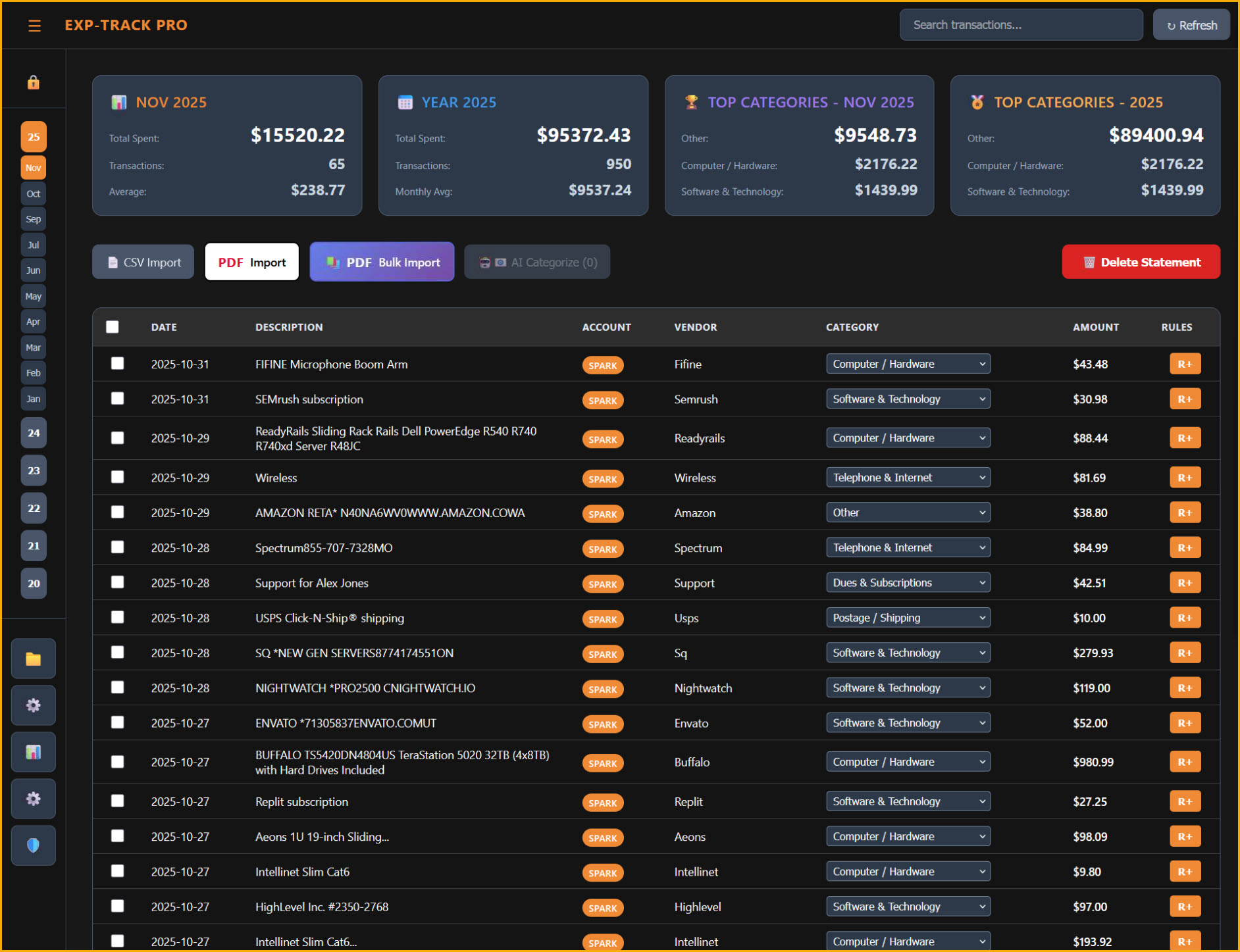
Dashboard

Complete Financial Overview

See your monthly and yearly spending at a glance. Track top expense categories and monitor transaction counts with beautiful stat cards.

  • Monthly and yearly spending totals
  • Top categories breakdown
  • Quick month navigation
  • Subscription tracking & reminders
Dashboard View
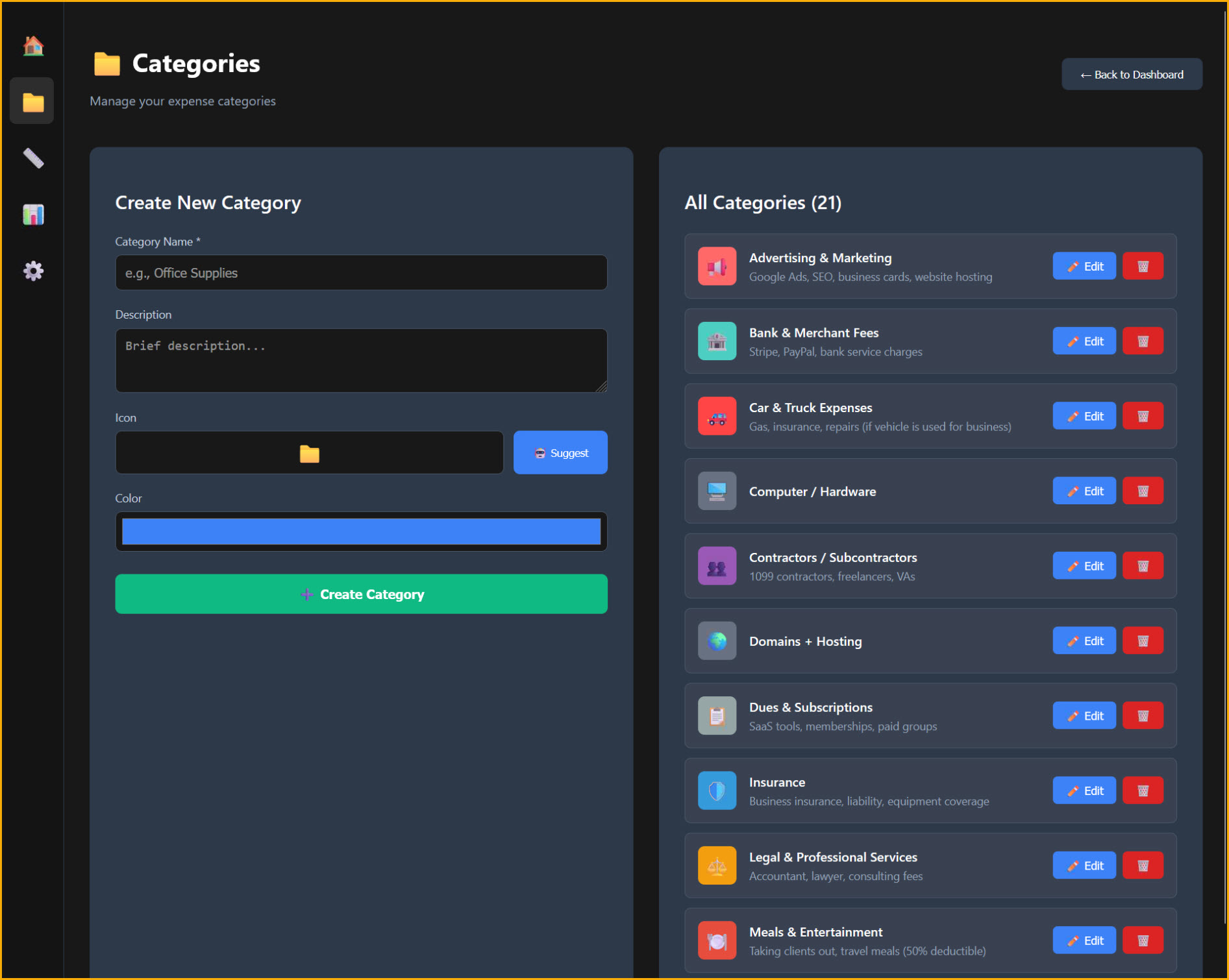
Categories Management
Categories

21+ Business Categories

Pre-configured with all the expense categories your business needs. Create custom categories with unique colors and icons.

  • Advertising, Software, Hardware
  • Contractors, Legal, Insurance
  • Custom colors and icons
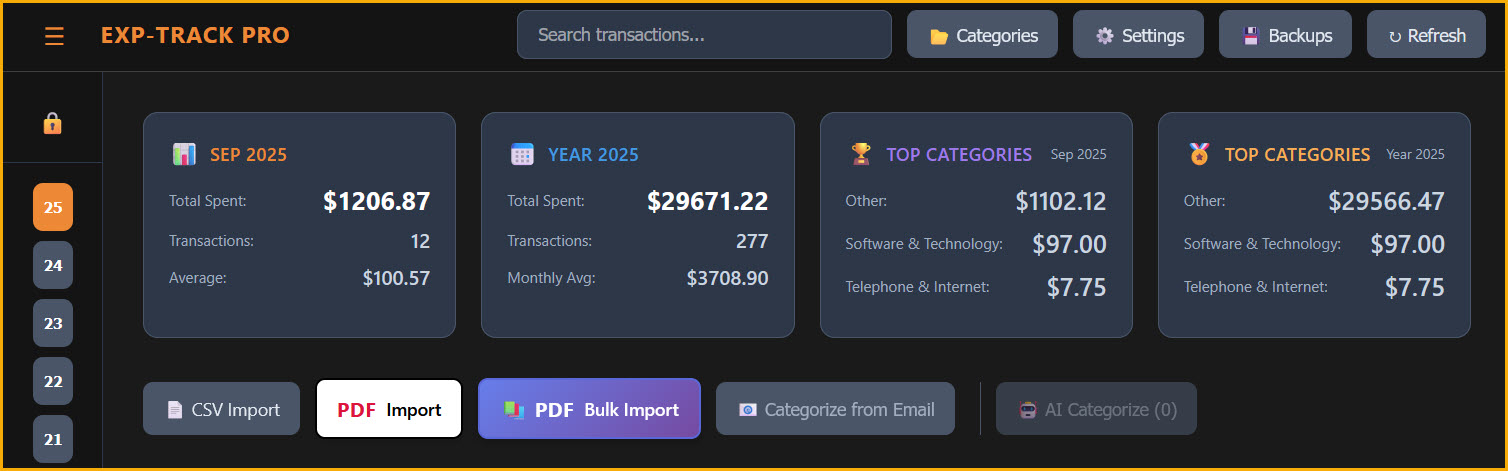
Import Tools

Multiple Import Options

Import statements via CSV, single PDF, or bulk PDF upload. AI-powered parsing extracts all transaction data automatically.

  • CSV Import for any bank format
  • PDF Bulk Import for multiple statements
  • AI Categorize button for instant sorting
Import Tools
Privacy-First Architecture

Your Statements Are Processed, Then Discarded

Your original statements are processed in real time and discarded - we never store the source files. The transactions we extract are saved securely to your account so they are there when you return.

No Statements Stored

Statements are processed in memory and immediately discarded.

Encrypted End-to-End

All data transfers protected with TLS 1.3 encryption via Cloudflare.

Nothing to Steal

Even if hackers breach our servers, there's only numbers in tables. Nothing is attached to you, we have a 100% Zero Statement Retention policy.

Free LLM Option

We use Mistral.ai for the default LLM OCR option. Mistral's OCR API has a Zero Data Retention policy (ZDR) enabled by default.

security.config
{
  "data_storage": "none",
  "pii_collection": false,
  "encryption": "TLS 1.3",
  "retention_period": "0 seconds",
  "third_party_sharing": false,
  "architecture": "zero_knowledge"
}

Ready to Track Your Business Expenses?

Join business owners who trust ExpenseTrack.ai to manage their finances. No signup required, no credit card, no data stored.

Launch ExpenseTrack.ai